Use cases
AI UGC video: create authentic-feeling clips without hiring creators
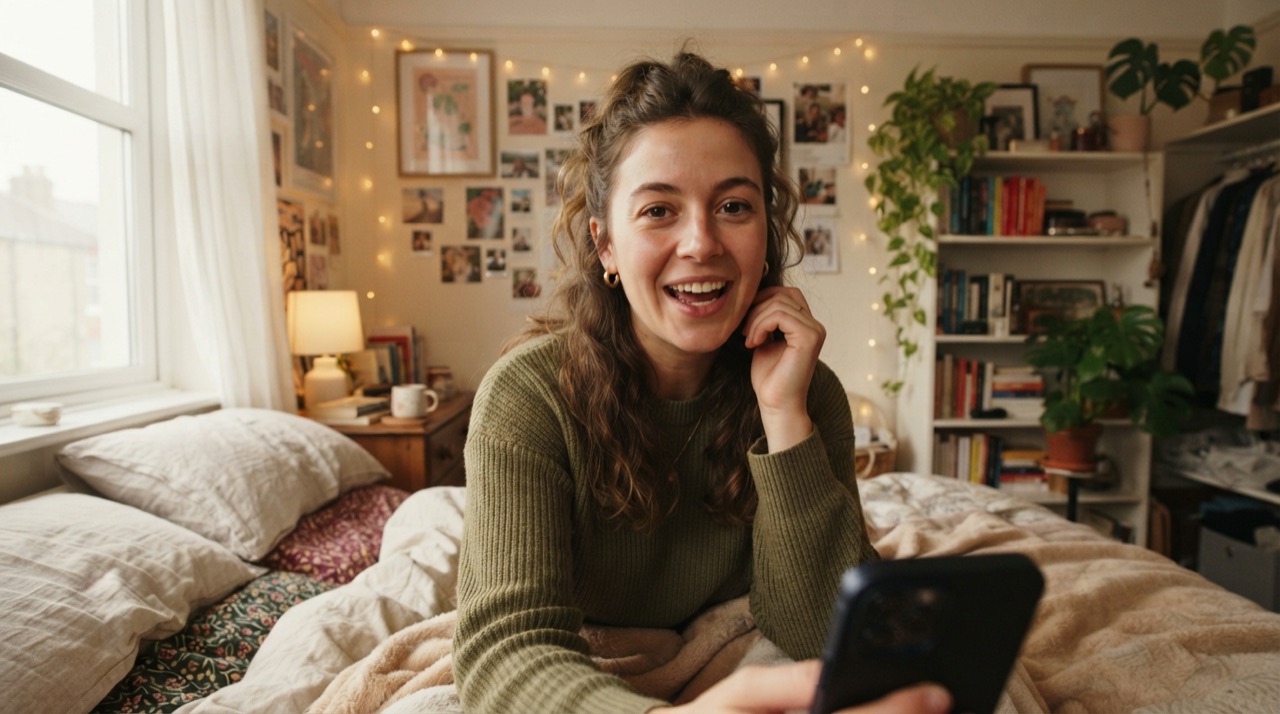
UGC-style video, the handheld, talking-to-camera, unpolished look, converts better than a studio ad for a lot of products, because it reads as a real person's opinion instead of a pitch. The problem is sourcing it. Finding creators, briefing them, waiting for delivery, and hoping the take matches what you needed takes days per clip, and testing five hooks or five markets multiplies that cost and wait five times over.
Why the creator route breaks down at volume
One good UGC clip from one creator is manageable. A testing calendar that needs a new hook every few days, or a product line that needs the same style of clip across ten SKUs, is not. Each new clip is a new negotiation, a new brief, a new round of "can you reshoot this part," and a new invoice. Most teams end up either shrinking their testing volume to what they can afford to commission, or reusing the same three clips until performance decays.
The math gets worse the more markets or languages a campaign needs to cover. A creator who nails the English hook rarely also delivers a natural French or Spanish take, so multi-market testing usually means separate creators, separate briefs and separate schedules per language, before a single result comes back.
Generating UGC-style clips without a creator roster
An AI video model can produce the same handheld, direct-address feel: a person talking into camera, natural lighting, a slightly imperfect frame, describing a product the way a real customer would. You describe the product, the angle, and the tone, and the clip comes back in seconds rather than days. There is no shoot to schedule and no revision cycle that depends on someone else's calendar.
Keeping it from looking like an ad
The details that make UGC feel real, a lived-in background, a natural pause, a camera that is not perfectly framed, matter more than production polish. Being specific in the prompt about setting, delivery and imperfection (a slightly shaky handheld frame, a pause before the punchline, an ordinary kitchen or bedroom background) keeps the result closer to what a customer would actually film than a glossy default.
Keeping the same face across a batch of clips
Testing several hooks usually means testing them with a consistent presenter, so the results read as one campaign rather than five random people. StoryStudio's Cast & World feature locks a face once from a reference image, and every following generation in the project reuses it, so a batch of ten hook variations can all feature the same "creator" without booking anyone ten times.
From a chat message to a finished clip
This runs from an MCP-connected agent like Claude or Cursor: you connect StoryStudio once, then describe the product, the hook, and the delivery style in plain language. StoryStudio routes the request to a video model suited to the shot and returns the clip in the same conversation, ready to test.
FAQ
Does AI-generated UGC actually look real? It can, when the prompt includes the specific imperfections that make real UGC read as authentic: natural lighting, an ordinary setting, a delivery that is not overly polished.
Can I keep the same presenter across multiple test clips? Yes, using StoryStudio's Cast & World feature, which locks a face from a reference image once and reuses it across every following generation in the project.
Do I need a video editor to use this? No. You describe the product and the hook in plain language inside an agent like Claude or Cursor, connected to StoryStudio over MCP, and the clip comes back in the same conversation.
Ready to generate UGC-style video without a creator roster? Start with StoryStudio.
Pricing: Free (5 credits, P-Image only) · Creator €14.99/mo (1,200 credits) · Pro €39.99/mo (3,500 credits) · Recharge €59.99 one-off (5,000 credits, no subscription). See full pricing →